





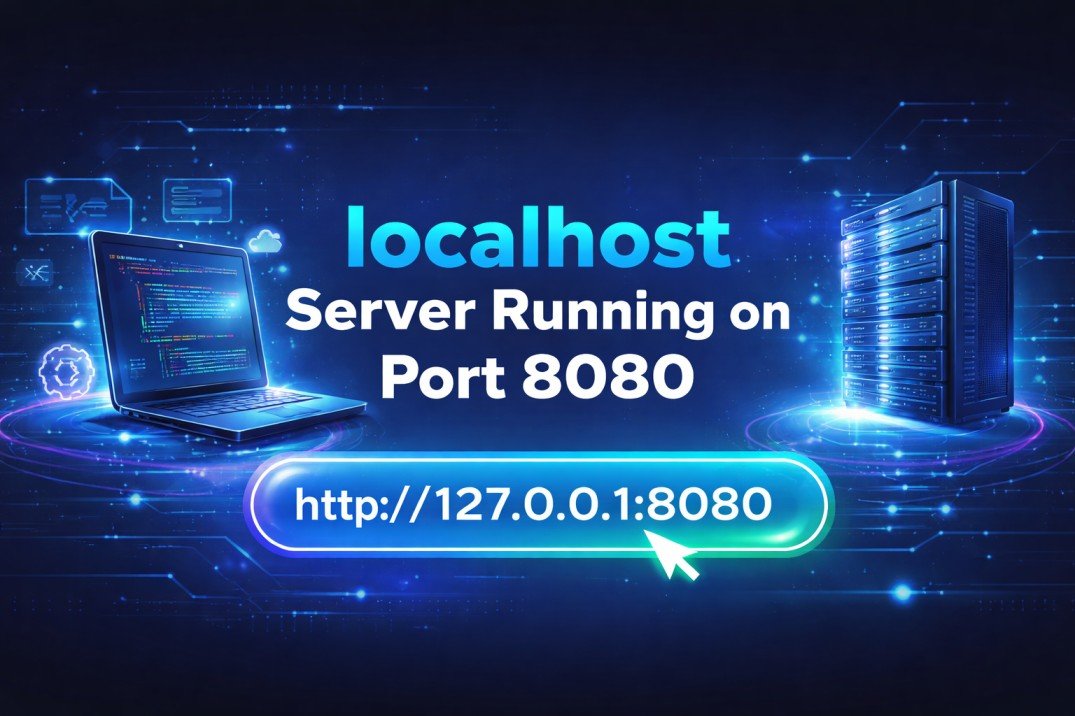
When working with web development, networking, or server configuration, you may often see the address 127.0.0.1:8080 in your browser, terminal, or development tools. This address represents a localhost server running on port 8080, which is commonly used by developers to test applications locally before deploying them to the internet.
Understanding how localhost works, why port 8080 is used, and how servers run on this address is essential for anyone learning web development, backend programming, DevOps, or networking. In this article, we will explore everything about 127.0.0.1, localhost, ports, port 8080, and local servers in detail.
What is 127.0.0.1?
Definition of 127.0.0.1
The IP address 127.0.0.1 is known as the loopback address. It refers to your own computer. When you access this address, you are not connecting to the internet, but instead to a server running on your local machine.
In simple words:
- 127.0.0.1 = Your computer
- localhost = Your computer
- Both mean the same thing
Why is it called Loopback?
It is called loopback because the request you send goes out from your computer and loops back to the same computer.
Example:
http://127.0.0.1
http://localhost
Both open the same location.
Uses of 127.0.0.1
- Testing websites locally
- Running development servers
- Debugging applications
- Running APIs locally
- Running database servers
- Learning networking
Developers use localhost to avoid uploading their code to the internet while testing.
What is Localhost?
Meaning of Localhost
Localhost is a hostname that refers to the current device you are using.
Instead of typing:
127.0.0.1
You can type:
localhost
Both are equal.
How localhost works
When you open localhost, your operating system checks the hosts file and maps localhost to 127.0.0.1.
Example hosts file entry:
127.0.0.1 localhost
This means:
- localhost → 127.0.0.1
- 127.0.0.1 → localhost
Why developers use localhost
Developers use localhost because:
- No internet required
- Fast testing
- Secure environment
- No public access
- Easy debugging
Localhost is very important in software development.
What is a Port in Networking?
Definition of Port
A port is a number used to identify a specific service running on a computer.
IP address identifies the device
Port identifies the application
Example:
127.0.0.1:8080
- 127.0.0.1 = computer
- 8080 = application running on computer
Why ports are needed
Your computer can run many services at the same time:
- Web server
- Database
- API server
- Game server
- FTP server
Ports allow all of them to work together.
Common port numbers
| Port | Usage |
|---|---|
| 80 | HTTP |
| 443 | HTTPS |
| 3000 | Node.js |
| 5000 | Flask |
| 8000 | Python server |
| 8080 | Web server / proxy |
| 3306 | MySQL |
| 5432 | PostgreSQL |
Port 8080 is one of the most used development ports.
What is Port 8080?
Meaning of port 8080
Port 8080 is commonly used as an alternative to port 80.
Port 80 is default HTTP port, but sometimes:
- Port 80 is blocked
- Port 80 requires admin permission
- Port 80 already in use
So developers use 8080.
Why 8080 is popular
Reasons:
- Easy to remember
- Common in development
- Used by many frameworks
- Works without admin rights
Example:
http://127.0.0.1:8080
This means a server is running locally on port 8080.
Applications that use 8080
- Apache Tomcat
- Spring Boot
- Node.js
- React dev server
- Angular server
- Java servers
- Proxy servers
Port 8080 is the most common development port.
What does http://127.0.0.1:8080 mean?
Breaking the address
http://127.0.0.1:8080
Parts:
- http → protocol
- 127.0.0.1 → local computer
- 8080 → port number
Meaning:
Open the web server running on my computer on port 8080.
Example scenario
You run a server:
npm start
Terminal shows:
Server running on http://127.0.0.1:8080
Now you open browser and type:
http://127.0.0.1:8080
Your local website opens.
Without port
If you type:
http://127.0.0.1
Browser uses default port 80.
But if server is on 8080, you must write port.
How Localhost Server Works
Step by step process
- You start a server
- Server listens on port 8080
- Browser sends request
- OS routes to localhost
- Server responds
- Page loads
Example:
python -m http.server 8080
Then open:
http://127.0.0.1:8080
Server responds.
Server listens on port
When server starts:
Listening on port 8080
This means:
Server waiting for requests.
Request flow
Browser → localhost → port → server → response
How to Run Localhost Server on Port 8080
Using Python
Run:
python -m http.server 8080
Open:
http://127.0.0.1:8080
Using Node.js
Install:
npm install -g http-server
Run:
http-server -p 8080
Open:
http://localhost:8080
Using Java Spring Boot
Default port:
8080
Run app → open:
http://127.0.0.1:8080
Using PHP
php -S 127.0.0.1:8080
Open in browser.
Why Developers Use Port 8080 Instead of 80
Permission issues
Port 80 needs admin permission.
Port 8080 does not.
Multiple servers
You can run:
- 3000
- 5000
- 8080
- 9000
at same time.
Safe for testing
Port 8080 is used for development.
Avoid conflicts
Port 80 may be used by system.
So 8080 is safe.
Common Errors with 127.0.0.1:8080
Server not running
Error:
This site can’t be reached
Fix:
Start server.
Port already in use
Error:
Address already in use
Fix:
Change port.
Example:
8081
Firewall blocking
Sometimes firewall blocks port.
Allow port.
Wrong port
Server on 3000, but you open 8080.
Fix:
Use correct port.
Difference Between localhost and 127.0.0.1
They are almost same.
| localhost | 127.0.0.1 |
|---|---|
| Hostname | IP address |
| Easier to type | Numeric |
| Uses hosts file | Direct |
| Same computer | Same computer |
Both work same.
Example:
http://localhost:8080
http://127.0.0.1:8080
Same result.
Security of Localhost Server
Localhost is private
Only your computer can access.
Others cannot.
Safe for testing
You can test:
- Login system
- Database
- API
- Website
without internet.
Not public
To make public:
You need hosting.
Localhost is local only.
Real World Use of 127.0.0.1:8080
Web development
Testing websites.
Backend development
Testing API.
Mobile app backend
Running local server.
Database testing
MySQL / MongoDB.
Java apps
Spring Boot uses 8080.
Dev tools
Many tools run on 8080.
How to Change Port from 8080
Example Node.js
app.listen(3000)
Example Spring Boot
server.port=9090
Example Python
python -m http.server 9000
Then open:
127.0.0.1:9000
Port can be anything.
Difference Between Local Server and Live Server
| Local server | Live server |
|---|---|
| Runs on your PC | Runs on internet |
| Private | Public |
| For testing | For users |
| Fast | Slower |
| Free | Hosting needed |
Localhost used before live.
When You See 127.0.0.1:8080
You may see it in:
- VS Code Live Server
- Node.js
- React
- Angular
- Java
- Docker
- XAMPP
- WAMP
- Python
- API tools
It means:
Local server running.
Conclusion
The address 127.0.0.1:8080 represents a localhost server running on port 8080, which is widely used in web development, backend programming, and software testing. The IP address 127.0.0.1 refers to your own computer, while port 8080 identifies the specific application or server running on that computer.
Localhost allows developers to safely test websites, APIs, and applications without exposing them to the internet. Port 8080 is commonly used because it avoids permission issues, prevents conflicts with port 80, and works well with many frameworks and tools.
Understanding how localhost, ports, and local servers work is an important step for anyone learning programming, networking, or web development. Once you